

Ludo Cash ArenaThe Ludo app for Android
Eira Digital Co. Limited
Play. Connect. Compete.
- Rating
- 5.0
- 2 ratings
- Size
- 9.6 MB
- Version 2.0.24
- Category
- Board game
- Category
- Price
- Free
- 18+ · No ads here
Ludo Cash Arena is for adults aged 18 and over. Free play with tokens is always available; cash play is only for verified adults aged 25 and over, with an ID check.
Checking the latest version...
On a computer? Scan with your phone
Point your Android phone camera at the code to open this page there, then tap Download for Android.
Or type ludocasharena.com/download/android in your phone browser.
Screenshots
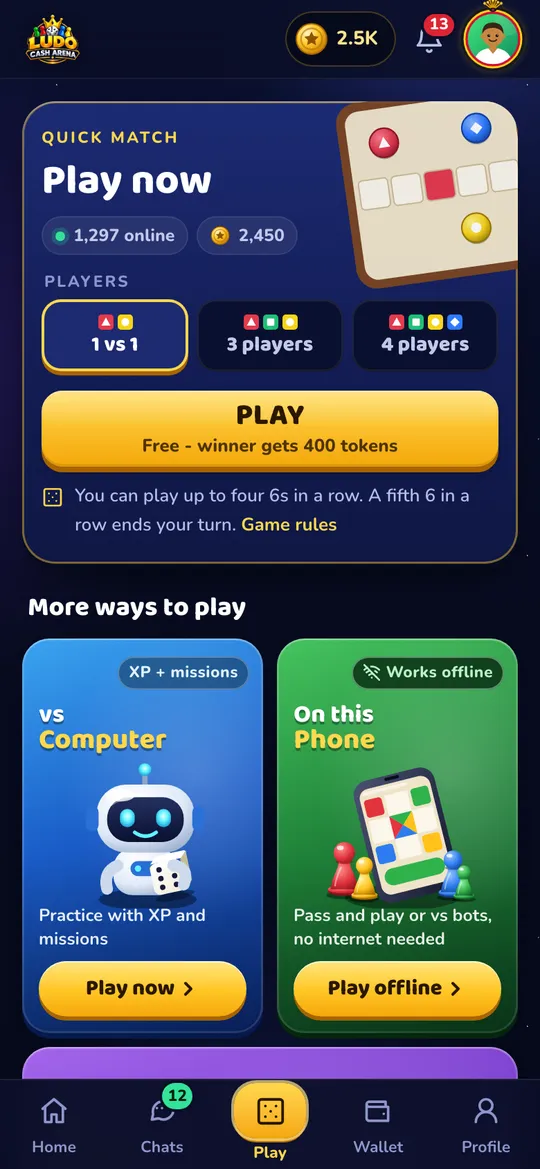
Play now, 2 to 4 players 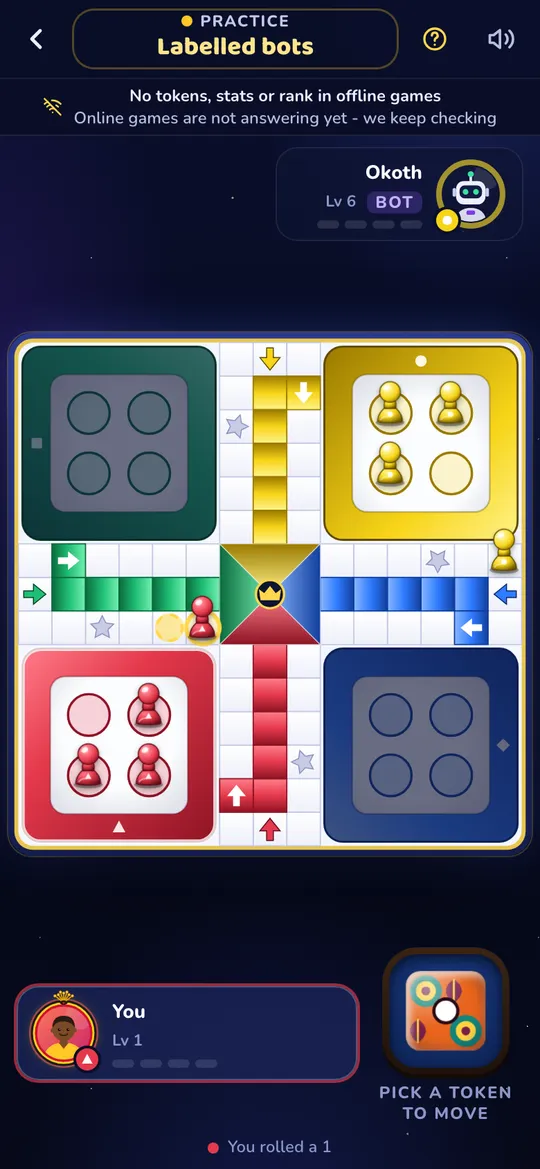
A real board, fair dice 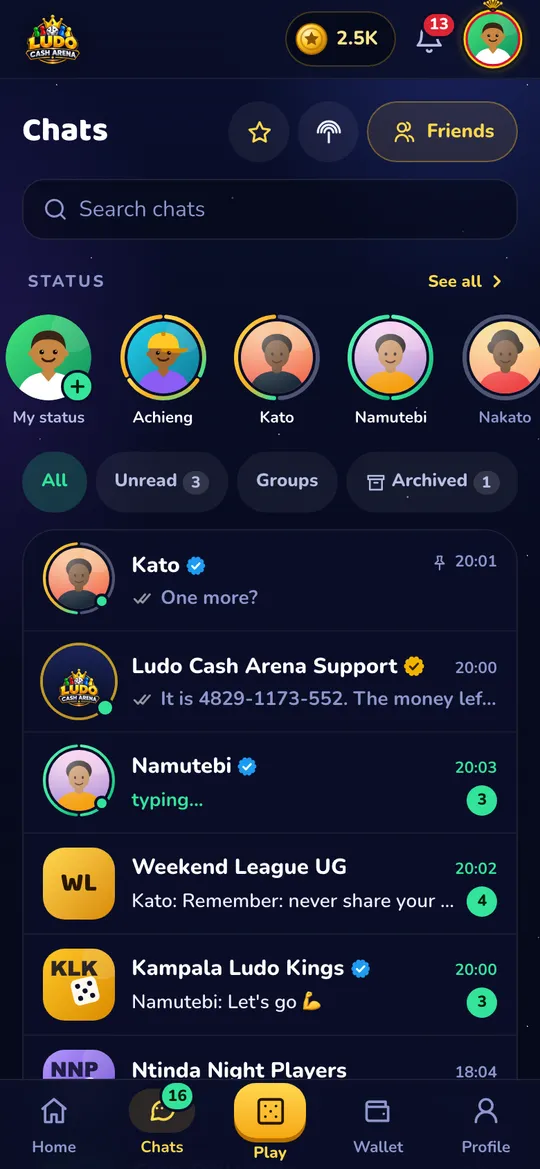
Chat with friends and groups 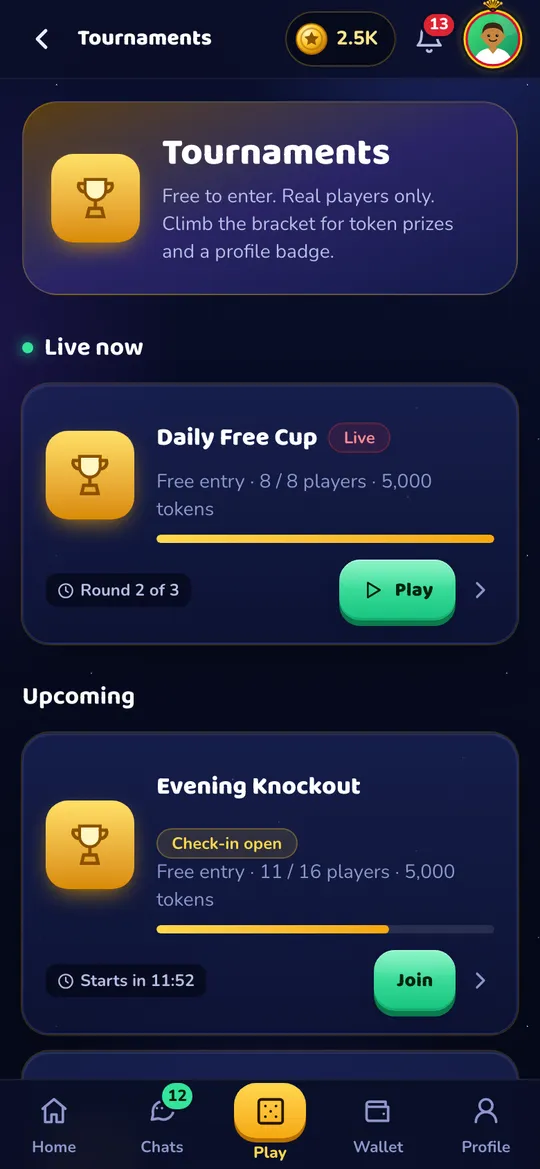
Free tournaments every day 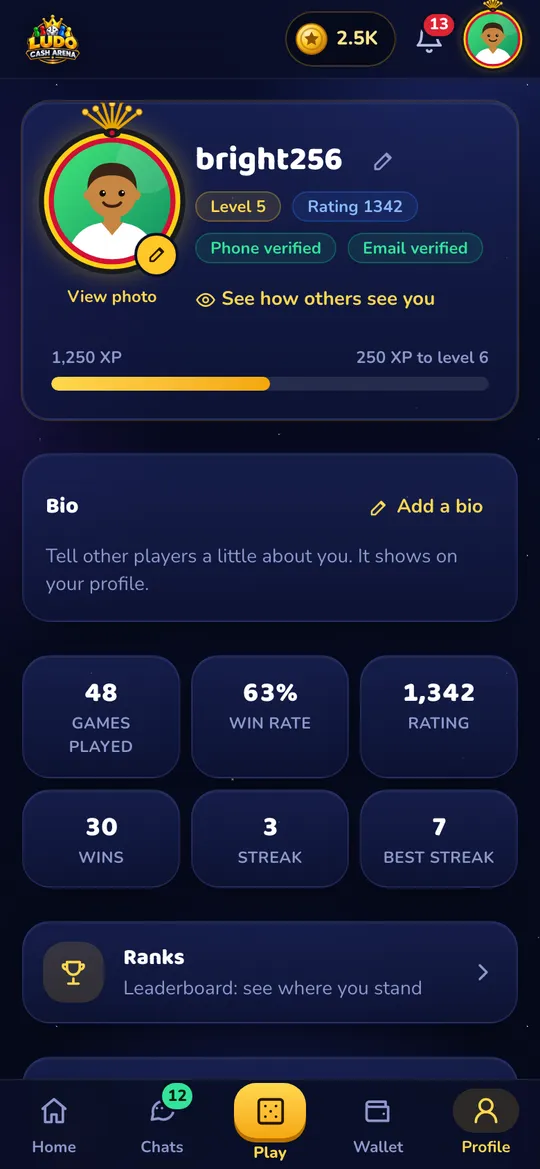
Your profile and stats
Ratings and reviews
From signed-in players with at least 3 games. Written reviews are checked by our team before they appear. Nothing is added by us.
5.0
2 ratings

Boss Man
11 November 2026
Love the game 🎮 playing and making money
Android app · app 2.0.7
1 found this helpful Report
Nabahinda Harimah
18 November 2026
Android app · app 2.0.21
What's new
Version 2.0.24 · 24 November 2026
- NewFind friends from your contacts, if you want: numbers are scrambled on your phone before anything is sent, and you can delete the result at any time.
- BetterLudo asks for each permission only when you use the feature, and tells you why.
Version history
2.0.23 · 20 November 2026
ID check keeps your place
- FixedVerifying your ID no longer starts over: if your phone closes Ludo while the camera or gallery is open, you come back to the same step.
2.0.22 · 20 November 2026
Smoother updates
- FixedUpdating the app no longer freezes on some phones: the download starts at once and the screen stays responsive.
2.0.21 · 17 November 2026
Large text phones
- FixedSign-in and sign-up screens fit phones with large text (OPPO, Realme, Xiaomi, Samsung). Text follows your phone's font size up to 130 %, and the phone's dark mode no longer repaints the app.
2.0.20 · 14 November 2026
Pictures in notifications
- NewNotifications now show the profile picture of the player they are about (new followers, friend requests, likes, comments, messages, calls and more), and every Ludo notification shows the Ludo logo. Pr
2.0.19 · 13 November 2026
Official Ludo ringtone
- NewCalls ring with the official Ludo ringtone (or your phone's own, in Settings), with Ludo call sounds. Message notifications are grouped per chat with Reply and Mark as read, game invites have Accept,
2.0.18 · 13 November 2026
Fewer freezes
- FixedStability update: fewer freezes and crashes. The game screen recovers by itself if your phone runs low on memory, and app hangs are reported so we can fix them.
2.0.16 · 13 November 2026
Photos from your gallery
- NewPick photos straight from your gallery (several at once), share photos, videos and links to Ludo from any app, save photos to your phone, and read chats clear their notifications.
2.0.15 · 13 November 2026
Shortcuts and Play again
- NewLong-press the Ludo icon for Play, Chats, Wallet and Calls. Every game result now has Play again, New game and Home, and Back after a game takes you to Play. The first screen shows Play. Connect. Comp
2.0.14 · 12 November 2026
Calls stay on with earbuds
- BetterCalls stay on when you connect earbuds or Bluetooth, and Accept opens the call at once. Calls go on while you play, chat or post, ring like a phone call even when Ludo is closed, and Ludo never record
Older versions: see What's new in the app.
App details
| Version | 2.0.24 |
|---|---|
| Download size | 9.6 MB |
| Works on | Android 7.0 or newer |
| Package | com.ludocasharena.app |
| Price | Free |
| Language | English |
| Developer | Eira Digital Co. Limited, Kampala, Uganda |
| Signed by | Ludo Cash Arena (updates install only with the same signature) |
| Page updated | 24 November 2026 |
SHA-256 of the APK file
d5bd4225439a74a135871184f72630179cf16cb993ed9611b4341feeb40cc699
What you can do
- Free LudoPlay real players or labelled bots for free tokens: 2, 3 or 4 players.
- Plays offlinePractice against the bots, or pass and play on one phone, with no internet.
- Friends and private roomsInvite friends with a link or QR code and play in your own room.
- Chat, voice notes, callsMessage, send voice notes and call friends. Calls ring like a phone call.
- Groups and Home feedJoin groups for your town or crew and share photos with your people.
- Daily Free CupA free tournament every evening, plus more free tournaments.
- Fair dice you can checkEvery die is rolled on our server and every game can be verified. How it works
Permissions and why
Ludo asks for a permission only for a feature you use, at the moment you use it, and tells you why first. Nothing is asked when you install. You can change any of them in your phone's settings, Apps, Ludo Cash Arena, Permissions.
Camera Asked when you use it
Photos of your ID and a selfie when you verify your ID, and photos you take for a chat or post. Asked the first time you open the camera.
CAMERA
Photos you pick Never asked, allowed at install
Android's photo picker: Ludo only sees the photos you choose. No access to your whole gallery, so nothing to allow.
Photo picker (no permission), WRITE_EXTERNAL_STORAGE (Android 9 and older, Save to gallery only)
Microphone Asked when you use it
Voice notes and voice calls with friends. Asked the first time you record or call. Calls are never recorded.
RECORD_AUDIO, MODIFY_AUDIO_SETTINGS
Notifications Asked when you use it
Game invites, messages, incoming calls (full screen, like a phone call) and the alerts you choose in Settings. Asked on Android 13 and newer.
POST_NOTIFICATIONS, USE_FULL_SCREEN_INTENT
Calls in Ludo Never asked, allowed at install
Keeps a Ludo voice call going when you leave the app, and lets Android treat it like a phone call (earpiece, speaker, lock screen). No access to your phone calls, call log or number.
MANAGE_OWN_CALLS, FOREGROUND_SERVICE, FOREGROUND_SERVICE_MICROPHONE, FOREGROUND_SERVICE_PHONE_CALL, WAKE_LOCK
Nearby devices (Bluetooth) Asked when you use it
Earbuds, headsets and car kits during a Ludo call. Asked on Android 12 and newer the first time you call with a headset connected.
BLUETOOTH_CONNECT, BLUETOOTH (Android 11 and older)
Contacts Asked when you use it
Only if you choose Find friends from your contacts. Numbers are scrambled (hashed) on your phone before anything is sent, we never keep your contacts, and you can delete the result at any time.
READ_CONTACTS
Location (while using the app) Asked when you use it
Near me (players around you) and sharing a live location in a chat. Asked only when you turn one of them on. Never in the background.
ACCESS_COARSE_LOCATION, ACCESS_FINE_LOCATION
Fingerprint and face Never asked, allowed at install
Quick sign-in and confirming a withdrawal with your fingerprint, face or screen lock, if you turn it on. Your fingerprint never leaves your phone.
USE_BIOMETRIC, USE_FINGERPRINT (Android 8 and older)
Vibration Never asked, allowed at install
A short buzz on dice rolls, captures and incoming calls (Settings, Sound, Vibration).
VIBRATE
Internet and network state Never asked, allowed at install
To play online, and to open the offline arena when there is no connection.
INTERNET, ACCESS_NETWORK_STATE
Install updates You turn it on in Settings
Installs new versions of Ludo itself when you tap Update. Android asks once to allow installs from Ludo.
REQUEST_INSTALL_PACKAGES, UPDATE_PACKAGES_WITHOUT_USER_ACTION
Run without battery limits You turn it on in Settings
So a call rings at once while Ludo is closed. Ludo asks once, with a reason, and you can say no.
REQUEST_IGNORE_BATTERY_OPTIMIZATIONS
Advertising ID Never asked, allowed at install
Google's ads in the app use your phone's advertising ID. You can reset or delete it in your phone's settings (Google, Ads).
AD_ID
Ludo never asks for:
- Your call log or phone calls
- Your SMS messages
- Your phone number from the SIM
- Your location in the background
- Changing or adding contacts
- Your accounts on the phone
Data safety
- We never sell your data.
- Encrypted in transit (HTTPS). ID numbers and ID photos are encrypted on our servers.
- You can delete your account and data yourself, at any time.
- Location is off unless you turn on Near me or share a live location.
Collected
- Account details: name, username, phone number, email
- Date of birth (18+ to sign up, 25+ for money play)
- Your games, moves and results
- Messages, posts, photos and voice notes you send
- ID photos and a selfie, only if you verify your ID (encrypted)
- Approximate location (about 1 km), only if you turn on Near me
- Device and app info, to keep accounts safe and fix crashes
- Payment records, for deposits and withdrawals
- Advertising ID, for Google ads in the app
Shared, only to run Ludo
- Payment processors and mobile money networks, for your deposits and withdrawals
- SMS and email services, for your codes and messages
- Your phone's push service, for notifications you switched on
- Google, when an ad comes from Google
- Regulators, police or courts, only when the law requires it
Full details: Data safety, Privacy Policy and Delete your account.
How to install
The app comes from our website, not the Play Store, so Android asks once to allow installs from your browser.
- Tap Download for AndroidThe file is about 9.6 MB. If your browser asks whether to keep it, tap Download.
- Allow installs from your browserAndroid may say it cannot install apps from this source. Tap Settings, switch on Allow from this source, then go back. You only do this once.
- Open the file and tap InstallTap Open when the download finishes, or find it in your notifications or the Downloads app.
- If Play Protect warns youPlay Protect may say it does not know this app. That is only because it comes from our website and not from the Play Store. Tap More details, then Install anyway.
- Open the app and sign inUse the same account. Your tokens, friends and stats are all there.
Check the file is ours (optional)
Compare the file's SHA-256 fingerprint with the one in App details above. They must match exactly.
- On Android: a file manager or hash checker app that shows SHA-256 for a file.
- Windows:
certutil -hashfile ludo-cash-arena-2.0.24.apk SHA256 - Mac:
shasum -a 256 ludo-cash-arena-2.0.24.apk - Linux:
sha256sum ludo-cash-arena-2.0.24.apk
Updates install over the old version, so you never need to uninstall first. The app tells you when one is ready.
Stay safe
- Only download the app from ludocasharena.com. We never send the app on WhatsApp, SMS or email.
- The app is signed by Ludo Cash Arena. Updates install over it only when they carry the same signature, so nobody can swap it.
- The app never asks for your mobile money PIN. Approve payments only on your phone's own mobile money prompt.
Prefer not to install? Play in the browser
By Ludo Cash Arena team, built by Eira DigitalUpdated How we write and check our guides
Why get the app
Ludo Cash Arena is a social gaming platform for Ludo, made in Uganda for Ugandan phones: play, connect and compete. The app opens straight into the game, keeps the screen awake while you play, and tells you when a friend invites you, messages you or your tournament game is about to start, even when the app is closed.
Between games it is where your Ludo people are. Chat with friends and groups, send voice notes, and call friends with incoming calls that ring like a normal phone call, using the earpiece, the speaker or a headset. Post photos to the Home feed, join groups for your town or your crew, find players close to you with Near me, and invite friends with your own QR code. The voice calls guide and the guide to finding players explain how each works and how your privacy is protected.
It is built for real conditions: a game sends only small updates about dice and moves, so it holds up on a weak signal, and if your connection drops you have a short window to come back to the same game. When there is no network at all, the app opens free practice against the bots instead, so you can keep playing.
Every die is rolled on our server, never on your phone, every move is checked and logged, and any finished game can be verified. Bots are always labelled. Read how it works on our fairness page, or learn the game first in the complete Ludo rules.
Saving data when you download
- The app is about 9.6 MB: one small download, then each game uses very little data.
- Download where your signal is strongest, or on Wi-Fi at work, school or a cafe. Installing needs no data once the file is on your phone.
- Near a border, turn off data roaming first so the download uses your Ugandan bundle.
- The app tells you when an update is ready, and the update installs over the old version, so you never need to uninstall first.
Play across Uganda
Live games with players from every region. Local tips for your area are on the Ludo in Uganda page.
- Central UgandaBuganda
- Eastern UgandaBusoga, Bukedi, Bugisu, Sebei, Teso
- Northern UgandaAcholi, Lango, West Nile, Karamoja
- Western UgandaAnkole, Kigezi, Tooro, Rwenzori, Bunyoro
Ludo app Kampala · Ludo app Entebbe · Ludo app Wakiso · Ludo app Mukono · Ludo app Masaka · Ludo app Jinja · Ludo app Tororo · Ludo app Mbale · Ludo app Soroti · Ludo app Gulu · Ludo app Lira · Ludo app Arua · Ludo app Mbarara · Ludo app Kabale · Ludo app Kasese · Ludo app Fort Portal · Ludo app Hoima
The Ludo app: questions and answers
Is the Ludo Cash Arena app free?
Yes. The app is free to download and free to play: practice against bots, quick matches with real players, private rooms with friends, chat, voice notes, voice calls, groups and the daily free tournament cost nothing.
Can I call my friends in the app?
Yes. You can call friends, and players who follow you and whom you follow back, from a chat or their profile. In the app (2.0.9 or newer) incoming calls show a full-screen call alert. Calls go phone to phone and are never recorded by us.
How big is the download and which phones does it support?
About 9.6 MB. It runs on Android 7.0 and newer, which covers most Android phones in use today, including many small and older models.
Why is the app not on the Play Store?
We publish the Android app directly on ludocasharena.com. Your phone may ask once to allow installs from your browser; that is normal for apps from a website. Only download it from this page.
Is it safe to install?
The app is signed by Ludo Cash Arena, and Android installs an update only when it carries the same signature, so nobody can swap it for another app. The file's SHA-256 fingerprint is listed on this page for anyone who wants to check it.
Who can rate the app?
Only signed-in players whose account is at least 3 days old and who have played at least 3 games. Each player has one rating, which they can change. Written reviews are checked by our team before they appear, and nothing is ever added by us.
Can I play without internet?
Yes, practice against the bots works offline in the app. Live games against people need mobile data or Wi-Fi, and use very little of it.
I have an iPhone. Is there an app?
Not in the App Store. Open ludocasharena.com in Safari, tap Share, then Add to Home Screen. It opens full screen like an app.